"So, what's the real bottom line?" It’s the first question everyone asks. Generally, you can expect the cost of managed IT services to fall somewhere between $75 to $250 per user per month. The final number really depends on the pricing model you choose and just how much you need them to do.
This predictable monthly fee is a game-changer for budgeting. It helps you get a firm grip on your IT spending and sidestep the steep, often unpredictable costs that come with building out a full-time, in-house tech team.
What Is the Real Cost of Managed IT Services?

To get the full picture of managed IT costs, you have to look past the monthly bill. It’s really about the total value you're getting—from stronger security and round-the-clock monitoring to expert advice that helps your business grow. Think of it less like an expense and more like an investment in keeping your operations stable and efficient.
The old way of doing things meant waiting for something to break and then facing a massive, unexpected repair bill. A managed service provider (MSP) flips that script by offering a flat monthly fee. This simple change turns chaotic, unpredictable capital costs into a steady, manageable operational expense. Suddenly, financial planning becomes a whole lot easier.
Moving From Reactive Fixes to a Proactive Strategy
The real magic happens when your IT support shifts from a reactive "break-fix" model to a proactive management strategy. An in-house team is often stuck in a cycle of putting out fires. An MSP, on the other hand, is motivated to prevent those fires from ever starting. Their success is tied to your systems running flawlessly, which naturally minimizes downtime and support tickets.
This kind of strategic partnership frees you up to do what you do best: run your business. It's no surprise the global managed IT services market is expected to hit $329.1 billion by 2025, a huge leap from $223 billion in 2020. Businesses are increasingly turning to MSPs to navigate challenges like the tech talent shortage and the constant pressure to cut costs.
Managed IT Services Cost at a Glance
To give you a clearer idea of the numbers, this table summarizes typical monthly costs based on the most common pricing models. This will help you get a quick budgeting snapshot and see which approach fits your business best.
| Pricing Model | Typical Monthly Cost Range | Best For |
|---|---|---|
| Per-User | $125 – $250 per user | Businesses with multiple devices per employee and a need for comprehensive support. |
| Per-Device | $50 – $150 per device | Companies where devices outnumber users, like manufacturing or kiosk-based retail. |
| Tiered/Flat-Fee | $1,000 – $10,000+ per month | Organizations that want predictable, all-inclusive pricing for a defined set of services. |
| A La Carte | Varies by service | Businesses that need specific, targeted support for one area, like cloud backup or email security. |
| Hourly/On-Demand | $150 – $300+ per hour | Startups or small businesses with minimal IT needs that only require occasional, reactive support. |
This table helps demystify the numbers so you can make an informed decision. For businesses looking for even more operational flexibility, especially in scaling their teams, understanding these models is the first step. You might find it useful to explore how options like seat leasing can work hand-in-hand with an outsourced IT strategy to manage costs effectively.
Decoding the Most Common MSP Pricing Models

Trying to figure out managed IT service pricing can feel a lot like picking a cell phone plan. You’ve got options ranging from pay-as-you-go for the occasional user to all-you-can-eat plans for heavy streamers. The first step is getting your head around how providers actually structure their fees. Once you do, you can find a plan that fits your business like a glove—no more paying for things you don't need.
Ultimately, the right pricing model should align the provider's goals with yours. Think about it: a provider on a flat-rate plan is motivated to keep your systems humming along smoothly to cut down on their own support time. That’s a win-win.
Let's dive into the most common models you'll come across.
The Per-User Pricing Model
This one is as straightforward as it gets: you pay a set monthly fee for each employee. That’s it. This model has really taken off because it makes budgeting a breeze and covers every piece of tech an employee touches, from their office desktop to their laptop, smartphone, and tablet.
If your team members are constantly juggling multiple devices, this is often the perfect fit. The support is tied to the person, not just the machine, which is exactly what modern, flexible work arrangements demand.
- Pros: Costs are predictable and scale right alongside your headcount. Plus, the support is comprehensive, covering a user’s entire digital experience.
- Cons: It might not be the most budget-friendly option if a large chunk of your team has very light IT needs or only uses a single, simple computer.
You'll see this model a lot with professional services firms, BPOs, and companies that have fully embraced remote or hybrid work.
The Per-Device Pricing Model
The alternative is to pay a flat fee for each piece of equipment your provider manages. We’re talking servers, workstations, printers, network switches—you name it. The price usually changes based on the device type; managing a critical server, for instance, is going to cost more than keeping a desktop running.
This approach gives you a really clear, itemized bill, so you know exactly where your IT budget is going. If your business has more devices than people—think a manufacturing floor with computer-guided machines or a retail shop with multiple POS systems—this can be a surprisingly economical choice.
Key Insight: The per-device model shines when the sheer number of endpoints is what drives your IT support needs. It gives you pinpoint control over which assets are covered.
This structure tends to work well for businesses in healthcare, manufacturing, and retail, where specialized equipment is part of the daily grind.
The Tiered and Flat-Fee Models
Tiered pricing is all about bundling services into different packages—you've probably seen them labeled as Bronze, Silver, and Gold. Each tier rolls in a more comprehensive set of services for a fixed monthly fee. A basic tier might just cover remote monitoring and helpdesk access, while a premium one could add 24/7 support, serious cybersecurity defenses, and strategic IT planning.
This approach gives you the flexibility to pick a service level that matches both your needs and your budget. The flat-fee model is its close cousin, basically offering an all-inclusive package for one predictable monthly price.
Common Service Tiers:
- Basic Monitoring: The provider keeps an eye on your systems and sends alerts about potential issues before they cause real downtime.
- Standard Support: This adds helpdesk services during business hours and proactive maintenance to the monitoring package.
- Comprehensive Management: This is the all-in-one solution, often including 24/7 support, cybersecurity, data backup, and vendor management.
These models are fantastic for any business that craves budget certainty. Knowing exactly what your IT will cost each month takes the guesswork out of financial planning, making it a solid choice for businesses of all sizes that value stability.
What Really Drives Your Final Bill?
Picking a pricing model is just the starting point. The actual managed IT services cost you end up paying is shaped by a handful of critical factors that explain why quotes can look so different from one provider to the next. Think of it like buying a car—the base model has a sticker price, but adding all-wheel drive, a sunroof, and a better sound system will change the final number.
Your business isn't a carbon copy of any other, and your IT needs reflect that. Understanding what drives the cost will help you have much more productive conversations with potential IT partners and compare their proposals on an apples-to-apples basis.
Let's break down the five biggest things that will move the needle on your monthly fee.
The Level of Support You Need
One of the biggest variables is simply when you need help. Do you need a team on standby 24/7/365, ready to jump on an emergency at 3 AM on a holiday? Or are you okay with standard 9-to-5, Monday-to-Friday support?
- Standard Business Hours: This is the budget-friendly choice. It’s perfect for businesses that mostly operate during the day and can live with a minor issue being handled the next morning.
- 24/7/365 Support: This is your premium, round-the-clock insurance policy. It's non-negotiable for e-commerce sites, global companies, or any business where an hour of downtime translates into serious lost revenue.
It makes sense, right? Keeping experts ready to go at all hours costs more, and that's reflected in the price.
The Complexity of Your IT Environment
The more moving parts you have, the more it costs to keep them all running smoothly. A small office with ten desktops and a simple cloud file server is a whole different ballgame than a company with multiple locations, hundreds of devices, on-site servers, and specialized software.
A provider will look at a few key things:
- Number of Endpoints: How many computers, laptops, servers, and mobile devices are they responsible for?
- On-Premise vs. Cloud: Is your gear physically in your office, in the cloud, or a mix of both? Managing physical hardware always adds a layer of complexity.
- Age of Equipment: Older hardware is simply more likely to break and can require specific know-how, which often bumps up the support cost.
Any good Managed Service Provider (MSP) will want to do a thorough assessment of your current setup before giving you a firm quote.
Cybersecurity and Compliance Demands
Cybersecurity isn't an optional extra anymore; it's baked into the foundation of good IT. But the level of security you need will have a direct impact on your managed IT services cost. Most packages will cover the basics, like managed antivirus and a firewall. If your needs go beyond that, the price will go up.
For example, a financial services firm has to meet strict industry regulations. They'll need advanced tools like Security Information and Event Management (SIEM), intrusion detection systems, and regular vulnerability scans. That's a world away from the security needs of a small local flower shop.
These sophisticated tools—and the experts needed to run them—are a major cost for the provider, and that's passed along in your monthly fee.
Service Level Agreement (SLA) Guarantees
The Service Level Agreement (SLA) is your contract. It's the provider's written promise, spelling out exactly what you can expect for things like response times and system uptime. The tighter these guarantees are, the more you can expect to pay.
For instance, an SLA that guarantees 99.999% uptime—which works out to only about five minutes of downtime per year—requires an incredibly robust and redundant infrastructure. That's a lot more expensive to build and maintain than a standard 99.9% uptime guarantee, which allows for almost nine hours of downtime annually.
Your Provider's Location and Local Market Rates
This one might surprise you, but geography matters. An MSP in a major city like New York or San Francisco has much higher overhead—think salaries and rent—than one in a smaller town. Those costs naturally find their way into client pricing.
This is a big reason why North America commands a huge 33.5% to 43.2% share of the global managed services market. U.S. businesses are hungry for IT optimization and cloud solutions, leading them to outsource IT at record rates to control costs and stay focused on their main goals. You can learn more about these trends from Data Bridge Market Research's global report.
How to Estimate Your Potential IT Service Costs
Alright, let's get down to brass tacks. Moving from abstract pricing models to a real number you can actually budget for is the whole point of this exercise. While any provider worth their salt will give you a custom quote, you can get surprisingly close to a ballpark figure all on your own.
Think of it as sketching out a blueprint of your IT world. By pulling together a few key details about your business, we can apply some industry-average pricing and see what your investment might look like. Here's a straightforward, four-step approach to get you started.
Step 1: Count Your Users and Devices
First things first: we need a simple headcount. This inventory is the bedrock for any per-user or per-device pricing model and tells a provider a lot about the scope of their work right out of the gate.
Just jot down the following:
- Total Number of Employees: Count everyone who will need IT support—whether they're in the office, fully remote, or a mix of both.
- Total Number of Workstations: This means all desktops and laptops your team uses to get work done.
- Total Number of Servers: List every server you have, whether it's a physical box in a closet or a virtual one in the cloud.
- Other Key Devices: Don't forget the essentials. This includes network hardware like firewalls, switches, and even printers that need to be managed.
Having these numbers ready makes that first conversation with a potential provider so much smoother and helps them give you a quick, more accurate quote.
Step 2: Assess Your Current IT Complexity
Next, take a 30,000-foot view of your technology. Is your setup pretty straightforward, or are you juggling specialized software, custom applications, and a web of interconnected systems? The more moving parts you have, the more management is required, which naturally translates to a higher cost.
This diagram shows how the different layers stack up to determine your final price.
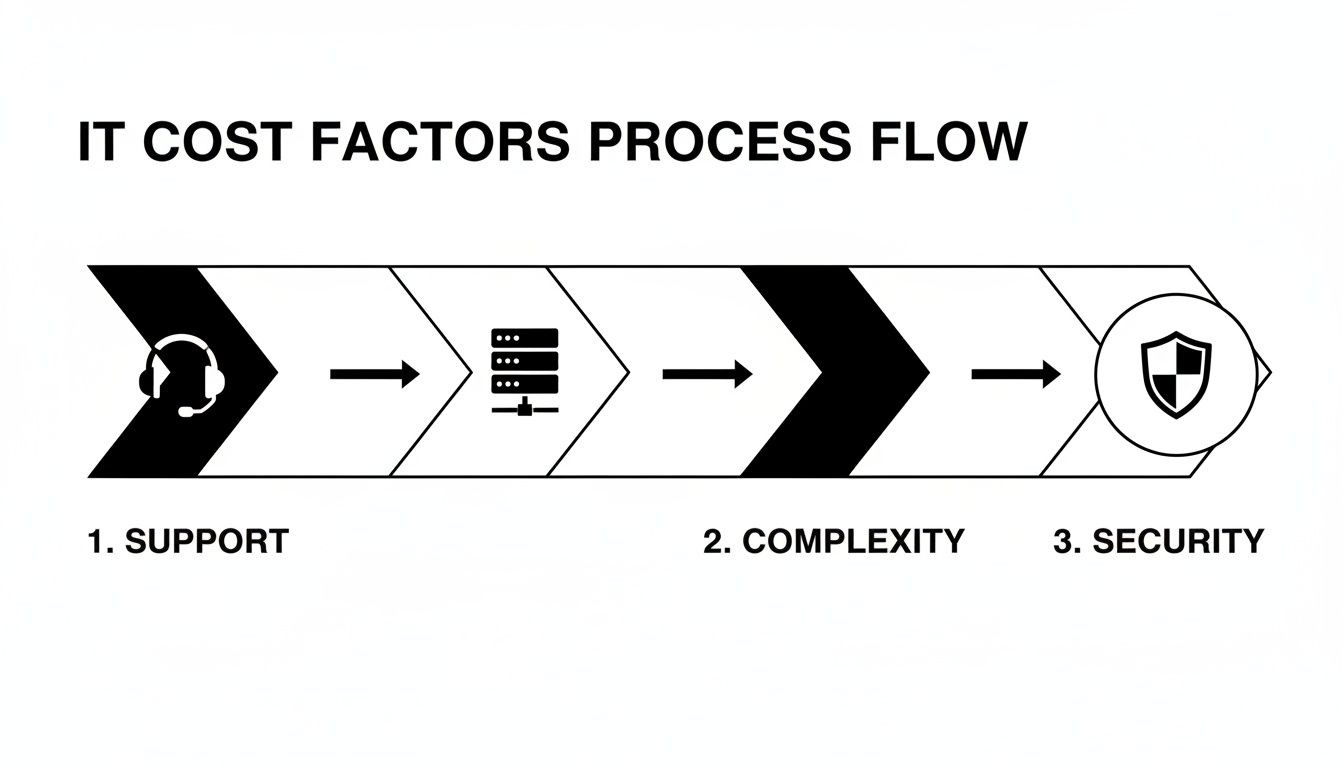
As you can see, it all starts with basic support, then adds layers for infrastructure and security, with each one building on the last.
Step 3: Define Your Support and Uptime Needs
Not all support is created equal, and this is a major cost driver. The real question to ask yourself is: what actually happens if our systems go down? Be honest.
If an hour of downtime is a minor headache, then standard business-hour support will probably do the trick. But if that same hour costs you thousands in lost revenue or customer trust, then a premium 24/7 support package with a rock-solid Service Level Agreement (SLA) isn't a luxury—it's a necessity.
The key is to be realistic. Overpaying for around-the-clock support you'll never use is just burning money, but underestimating how critical uptime is to your business can be catastrophic.
Step 4: Identify Essential Cybersecurity Requirements
Finally, let's talk security. Every decent IT provider will cover the basics like antivirus and firewall management. But if your business handles sensitive information, you'll need to go deeper.
Do you process credit card payments? Handle medical records or financial data? If you operate in a regulated industry, your security and compliance needs will absolutely push your costs higher.
Advanced security services often include things like:
- Security Information and Event Management (SIEM): A system that pulls all your security logs into one place for serious threat analysis.
- Vulnerability Scanning: Proactively poking and prodding your network to find weak spots before the bad guys do.
- Employee Security Training: Because the biggest threats often walk right in through the front door.
Putting It All Together: A Sample Cost Table
Once you've got your numbers and a feel for your needs, you can use a table like this one to get a rough idea of the costs. These are just typical per-user monthly figures, but they give you a tangible starting point.
Sample Monthly Managed IT Costs by Business Size
This table provides a high-level look at what you might expect to pay per user, per month, based on your company's size and the depth of support you need. The general trend you'll notice is that the per-user price often decreases slightly as you add more employees.
| Company Size (Employees) | Basic Support (per user/month) | Advanced Support (per user/month) | Comprehensive Security (per user/month) |
|---|---|---|---|
| 1-10 Employees | $100 – $150 | $150 – $200 | $200 – $275+ |
| 11-50 Employees | $90 – $140 | $140 – $190 | $190 – $260+ |
| 51-100+ Employees | $80 – $125 | $125 – $175 | $175 – $250+ |
So, how do you use this? Let's say you're a 25-person company that needs more than just the basics. Looking at the "Advanced Support" column, you could estimate your monthly cost to be somewhere between $3,500 (25 users x $140) and $4,750 (25 users x $190).
See? Now you have a realistic range to work with, which is the perfect foundation for building a business case and having informed conversations with providers.
Uncovering Hidden Costs and How to Avoid Them

The price you see on an IT service proposal is almost never the final price you'll pay. It’s a lot like buying a house—the sale price is just the beginning. Once you factor in closing costs, taxes, and insurance, the total is always higher. Your final IT bill can get inflated by extra fees that weren't obvious at first glance.
These hidden costs usually pop up when something falls just outside the standard agreement. The good news is that with a bit of due diligence and a careful read-through of the contract, you can spot these potential budget-busters before they become a problem.
Let's pull back the curtain on the most common unexpected charges you need to watch out for.
Onboarding and Setup Fees
Kicking off a new partnership takes real work. The provider has to learn your entire setup, install their monitoring software on every device, and get your network fully documented. This initial effort is usually billed as a one-time onboarding or setup fee.
This is a totally legitimate charge for the work involved, but it can be a significant upfront cost that catches businesses by surprise. Always ask if this fee exists and exactly what it covers. Some providers might even waive it if you sign a longer-term contract, making it a great point for negotiation.
Out-of-Scope Projects and On-Site Visits
Your monthly retainer covers a specific set of services laid out in your contract. But what happens when you need something bigger? Think about a major project like an office move, a complete network overhaul, or setting up a brand-new server. These will almost certainly be billed separately as project work.
Key Takeaway: You need to clearly define what counts as a "project" versus what's considered routine maintenance. A solid contract will spell out the scope of included services and list the hourly rate for any work that falls outside of it.
On top of that, while most issues can be fixed remotely, some problems just need a technician on-site. Make sure you clarify whether on-site visits are included in your plan or if they come with an extra travel charge or minimum billable time.
After-Hours and Emergency Support Surcharges
When your server goes down at 10 PM on a Saturday, you need help right now. The problem is, many standard IT support plans only cover regular business hours. Calling for after-hours or emergency support often triggers a premium rate, sometimes 1.5 to 2 times the provider's normal hourly project fee.
This is a critical detail to confirm before you sign anything. If your business operates outside the typical 9-to-5 window, you should seriously consider a plan that explicitly includes 24/7 support to avoid these painful, unexpected bills.
Before you sign any contract, use this checklist to hunt for potential red flags:
- Vague Service Scope: If the agreement doesn't clearly list what's included and what's excluded, you're setting yourself up for extra charges.
- Automatic Renewal Clauses: Watch out for sneaky language that locks you into another long-term contract without giving you proper notice.
- Early Termination Penalties: Understand exactly what it will cost you if you need to end the agreement before the term is up.
- Unclear Hardware/Software Costs: The contract should specify who pays for new equipment or software licenses needed to support your environment.
- Data Migration Fees: If you're switching from another IT company, ask if there’s a cost to get all your data moved over.
Asking these questions upfront is the best way to make sure your managed IT services cost stays predictable and you don't get hit with any unwelcome financial shocks down the road.
Smart Ways to Get More from Your IT Budget
Knowing what goes into your managed IT services bill is one thing; actively getting the most value out of it is another. The real shift happens when you stop seeing IT as just another line-item expense and start treating it as a strategic investment in your company's growth. Smart spending isn't about chasing the absolute lowest price—it's about making sure every dollar you spend is working hard for your business.
It all comes down to finding that sweet spot between rock-solid support and what your budget can handle. By using a few practical tactics, you can bring your costs down without ever cutting corners on the quality and security your business depends on.
Bundle Your Services for a Better Deal
One of the easiest wins for lowering your monthly IT bill is to bundle services with a single provider. It’s just like your home internet and cable package—you almost always get a better deal when you combine them. Most managed service providers (MSPs) are happy to offer discounts when you consolidate all your IT needs with them.
For instance, instead of juggling separate vendors for your helpdesk, cybersecurity, and cloud backups, find one MSP that can do it all. This move doesn't just make your life easier with a single bill and point of contact; it gives you real bargaining power. A provider is much more likely to knock the price down for a bigger, all-in-one contract.
Pro Tip: Look for providers who package essentials like 24/7 helpdesk, proactive network monitoring, and core cybersecurity services together. This gives you a powerful and cost-effective IT foundation right out of the gate.
Lock in a Better Rate with a Longer Contract
Month-to-month agreements are flexible, but that flexibility comes at a cost. Providers value predictable revenue and are often willing to offer significant discounts—sometimes as much as 10-15% off—if you're willing to sign a longer-term contract, like a two or three-year deal.
This is a win-win. You get to lock in a lower, predictable monthly rate, which makes budgeting a whole lot simpler. For the provider, it means they have a stable partnership, which lets them invest more time and resources into truly understanding and supporting your business.
Regularly Audit What You're Paying For
Your business is always changing, and your IT needs will change right along with it. A service that was critical last year might not be necessary today. This is why it’s so important to regularly audit your IT services to keep your managed IT services cost in check.
Block out some time every six months or so to go over your service agreement with your provider.
- Check Your User Count: Are you still paying for licenses or support for employees who have left the company?
- Look at Service Usage: Are there features in your plan that your team simply isn't using? You might be able to move to a more fitting, less expensive tier.
- Identify New Needs: Has your team started using new software that requires a different type of support?
This simple check-in ensures you’re only paying for what you actually use. For companies that need ultimate flexibility to scale their teams up or down, exploring different operational models can also lead to big savings. You can learn more about these flexible approaches in our other guides for growing businesses. A quick audit keeps your IT spend perfectly aligned with where your business is headed.
Answering Your Top Questions About Managed IT Costs
Even with all the pricing models and cost drivers laid out, you probably still have a few lingering questions. Let's get straight to the point and tackle the most common things business owners ask before they commit to managed IT services.
Is an MSP Really Cheaper Than an In-House IT Person?
For most small and mid-sized companies, the answer is a resounding yes. It’s not just about salary. When you hire an in-house IT pro, you’re also on the hook for benefits, training, sick days, and payroll taxes. A single mid-level IT specialist can easily run you over $80,000 a year when all is said and done.
An MSP, on the other hand, gives you an entire team of specialists for a flat monthly fee that's often just a fraction of that single salary. You get access to experts in cybersecurity, cloud systems, and network architecture—a depth of knowledge that's nearly impossible for one person to have. Plus, you’re no longer vulnerable if your one IT person gets sick, goes on vacation, or quits.
How Much Should a Small Business Actually Budget for IT?
A solid benchmark to start with is $100 to $250 per user, per month. So, if you have a team of 15, you're looking at a monthly IT budget somewhere in the neighborhood of $1,500 to $3,750.
Of course, that's just a starting point. Where you land in that range depends entirely on what your business needs.
- Bare-Bones Support: If you just need basic monitoring and a helpdesk you can call during business hours, you’ll be on the lower end.
- Complex Operations: If you're dealing with sensitive customer data, need 24/7 uptime, or have to meet strict compliance rules (like HIPAA or PCI), expect to budget toward the higher end.
The goal is to find a partner who can adjust their services to fit both your operational reality and your budget.
What Are the Most Important Things to Look for in an MSP Contract?
The contract, often called the Service Level Agreement (SLA), is the rulebook for your relationship. Don't just skim it—read every line. It's where the promises are put into writing.
Here are the three non-negotiables to focus on:
- A Clearly Defined Scope: The contract needs to spell out exactly what’s included. More importantly, it should also list what isn't included and will cost you extra. No one likes surprise charges.
- Response and Resolution Times: What happens when things go wrong? The SLA should give you firm guarantees on how quickly they'll acknowledge your problem and how long they have to fix it. This is your safety net.
- An Exit Strategy: Every good partnership has a clear "what if" plan. Make sure you understand the terms for ending the contract. Look for any early termination fees and clauses that explain how they'll help you move your systems and data if you decide to part ways.
At Seat Leasing BPO, we get that predictable costs and rock-solid support are what matter most. Our model is built to handle the essential IT infrastructure management for you, so you can stop worrying about tech headaches and focus on growing your business.
To see how our flexible solutions can work for you, get in touch with our team today.